5 Steps to Enter a Promo Code in Your 1XBET Account Correctly
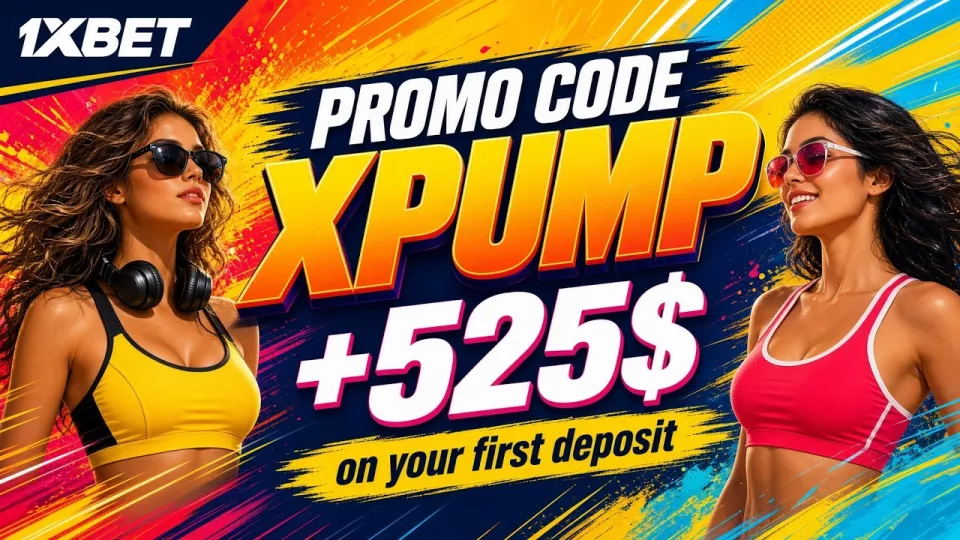
Video: 1XBET ACCOUNT: How to Enter a Promo Code XPUMP Correctly
· based on the channel Lucky Crown
To enter a promo code in a 1XBET account, open the registration form, find the promo code field in the bonus section, type the code in uppercase with no spaces (for the offer promoted in the video that is XPUMP), then finish registration and make your first deposit to activate the reward. The code has to be entered before the account exists, because a finished profile has no editable promo code field. The full walkthrough and the offer behind the code are available through the 1XBET promo code registration page.
The steps below follow the flow shown by the Lucky Crown channel in its breakdown of the 1XBET account promo code entry, expanded with the details that usually cause an entry to fail.
Why the promo code field is part of the 1XBET account, not the deposit page
The promo code is a registration parameter, so it lives inside the sign-up form and not in the cashier or the profile settings. 1XBET builds the account record at the moment of registration: currency, country, chosen welcome bonus and the promo code are all written into that record at once. That is why a player who already has a profile cannot paste XPUMP into the deposit screen and expect the bonus to appear — there is no field there to accept it.
This structure has two practical consequences. First, the code must be typed before the "Register" button is pressed. Second, if the code was skipped, the usual fix is not an edit but a new registration with a different phone number or email, using the same code from the start. The code itself does not expire per user; it is the account that cannot be retrofitted.
Where the promo code field sits and how XPUMP is typed in
The field appears in the registration window after you choose the welcome bonus option that includes a promo code. Depending on the layout you see, it may be labelled as a promo code or bonus code and placed directly under the bonus selection, above the final confirmation button.
- Open the 1XBET site or app and click Register.
- Choose registration by phone, email or in one click, and select the welcome bonus option that shows a promo code field.
- Click into the field and type XPUMP in capital letters.
- Check there is no space before or after the code — a trailing space from copy-paste is the most common reason a valid code is rejected.
- Complete the remaining fields (currency, country, phone or email, password) and confirm registration.
- Log in and make the first deposit within the qualifying window to trigger the bonus.
Letter case matters more than most people assume: the code is designed as uppercase characters, and although some forms normalise input, typing it exactly as published removes the guesswork. The same applies to spacing — the field accepts one continuous string, so "XPUMP " and " XPUMP" are not the same as "XPUMP".
What the XPUMP code gives you and how the bonus is credited
The offer attached to XPUMP is a welcome bonus on the first deposit, advertised by the channel as a 100% match up to +$525. The mechanics are standard for 1XBET welcome offers: the code unlocks the improved terms, and the actual amount depends on how much you deposit first, since the bonus is a percentage of that deposit capped at the stated maximum.
A few conditions decide whether the money actually lands:
- The first deposit must be made after registration, from the same account, and within the period set by the offer's rules.
- The deposit method matters; some payment systems are excluded from bonus qualification, so check the terms before funding.
- The bonus is credited as bonus funds, not withdrawable cash, and carries wagering requirements that must be met before any withdrawal.
- Only one welcome bonus is allowed per person, household and payment method, so a second account with the same details will not produce a second reward.
If the balance shows the deposit but no bonus, the cause is usually a missed field, a lower-than-minimum deposit or an excluded payment method — not the code itself.
Checking that the code was accepted and fixing a rejected entry
A successfully applied code leaves a trace you can verify before you deposit any money. Open your profile, go to the bonus or promotions area, and look for the active welcome offer attached to the account. If the offer is listed with the XPUMP terms, the code was accepted.
If the entry failed, work through these checks in order:
- Re-read the field for invisible characters — copy-pasting from a page or a chat often drags a space or a line break along.
- Confirm the letters match exactly, including case, and that no autocorrect changed them on a mobile keyboard.
- Make sure you selected the bonus option that includes the promo code field; some registration variants hide it.
- If the account is already registered without a code, accept that the field cannot be added later and register again with the code from the start.
Typical questions from viewers about the 1XBET promo code
The questions that come up most often around this walkthrough are about timing, duplicates and whether the code is really necessary.
One recurring doubt is whether the code can be entered after the account already exists. It cannot: the field belongs to the registration form, so the code has to be in place before the profile is created. Another is whether the bonus arrives automatically — it does, but only after a qualifying first deposit, and it appears as bonus funds with wagering attached rather than as cash.
A third theme is what happens if the code is typed with a lowercase letter or an extra space: the form may reject it silently, which is why the video stresses matching the field exactly. Finally, viewers ask whether the offer works on the mobile app — the registration flow is the same, and the promo code field sits in the same place within the bonus section.
All links from the video
Final takeaway on the 1XBET account promo code entry
The promo code is a one-shot registration field, so the whole process comes down to entering XPUMP in uppercase, without spaces, before the account is created. After that, a qualifying first deposit activates the welcome bonus, which is credited as bonus funds with wagering conditions. The Lucky Crown channel's breakdown is a useful visual companion because it shows exactly where the field sits on screen, which is where most failed entries begin. To start with the code already applied, use the XPUMP registration link and complete the form in one pass.
Key takeaways
- The promo code field sits in the registration form, not in the deposit or account settings pages.
- The code XPUMP is typed in uppercase with no spaces before or after it.
- A promo code can only be locked to an account at registration; it cannot be added to a finished profile.
- The welcome offer tied to XPUMP is a 100% bonus on the first deposit, advertised by the channel as up to +$525.
- The promo code link from the video is https://surl.li/1bn.
Questions & answers
Can I add the XPUMP promo code to a 1XBET account I already created?
No. The promo code field exists only in the registration form and is written into the account record at the moment the profile is created. A finished account has no editable promo code field in the profile or cashier, so the usual workaround is a new registration with the code entered from the start.
Why was my promo code rejected even though I typed it correctly?
The most common causes are an invisible space or line break picked up from copy-pasting, a lowercase letter where uppercase is expected, or a registration variant that does not include the promo code field. Retype the code manually in uppercase with no spaces and confirm you selected the bonus option that shows the field.
When exactly is the bonus from the promo code credited?
The code is applied at registration, but the reward is triggered by the first deposit made from that account within the period set by the offer's rules. It arrives as bonus funds with wagering requirements, not as withdrawable cash, and some payment methods are excluded from qualification.
Does the promo code work the same way in the 1XBET mobile app?
Yes. The registration flow in the app mirrors the website: the promo code field sits in the bonus section of the sign-up form, and the code is typed in the same uppercase format. The deposit conditions that activate the bonus are identical on both platforms.
Source: 1XBET ACCOUNT: How to Enter a Promo Code XPUMP Correctly · Markdown version